Rootless Podman workspace

Give agents room to build. Keep your machine out of reach.

One Rust CLI for running capable coding agents inside a controlled environment—with deliberate access to your repo, tools, secrets, browser, and host UI.

~/code/your-project AGS
ags --agent codex --lockdown
staged ephemeral agent home mounted exact workspace dropped capabilities · no new privileges entering sandbox
sandbox boundary active host exposure: minimal

Bring the agent you already use

πPi Claude Codex Gemini OpenCode _Shell
The premise

Powerful doesn’t have to mean wide open.

Coding agents need compilers, package managers, Git, databases, browsers, and the freedom to change a project. They do not need your entire home directory.

AGS creates a useful middle ground: a full development environment whose connections to the host are visible, configurable, and—in hardened mode—easy to cut.

YOUR MACHINE everything else stays outside
AGS WORKSPACE full dev environment
git
rs
js
_
repo rw
secrets scoped
host UI opt-in
network on
What you can do

The tools stay sharp.
The edges stay clear.

Every capability below maps to a concrete AGS runtime path—not a future roadmap.

01

Run real workloads, rootlessly

Work inside a Fedora toolchain image with Git, Rust, Node, Python, Go, Java, PostgreSQL tooling, tmux, and more—under Podman’s rootless user namespace.

keep-idcap-drop=allno-new-privileges
See the run arguments
02

Switch agents, not environments

Launch Pi, Claude, Codex, Gemini, OpenCode, or an interactive shell from the same project. Agent profiles keep commands, state mounts, and integration details tidy.

ags --agent codex
Inspect agent profiles
03

Mount exactly what the work needs

Declare files and directories as read-only or read-write. Add temporary same-path directories per run. Repo-local overlays can extend a trusted global config.

explicitvalidatedper-project
Read mount semantics
04

Pass secrets without baking them in

Resolve values from host environment variables or the system secret store, then inject only the configured names at runtime. Lockdown mode disables them entirely.

API_TOKEN=••••••••
Follow secret resolution
05

Reach the host through narrow bridges

Open OAuth flows with approval, paste clipboard images through a permissioned socket, and show host-owned Glimpse windows without handing over the compositor.

Auth proxy Clipboard Glimpse UI Webview relay
See the host UI bridge
06

Run Testcontainers, with policy

Opt into PSP mode when tests need containers. Docker-compatible clients reach a per-session proxy socket with image allowlists and bind-mount restrictions—not the raw Podman API.

ags --agent pi --psp
Understand PSP mode
Pick your posture

One sandbox.
Different missions.

Start with the agent and add only the runtime powers this task needs.

DAILY DRIVER host bridges available
ags --agent codex --tmux

Keep your agent state, dedicated SSH identity, selected secrets, and configured bridges. Tmux leaves a shell behind when the agent finishes, ready for inspection.

Repo write Network Scoped secrets SSH agent Raw host socket
Under the command

A launch plan you can reason about.

AGS does not improvise access. It validates configuration, prepares scoped host services, builds a typed launch plan, renders Podman arguments, and cleans up the session when the container exits.

Explore the LaunchPlan type
01
{ }

Load + validate

Global config, trusted repo overlay, CLI flags

ValidatedConfig
02

Prepare boundaries

Mounts, secrets, SSH, runtime sockets

RuntimeState
03

Build one plan

Workdir, security, env, entrypoint

LaunchPlan
04

Enter the sandbox

Render arguments and execute Podman

podman run
The hard boundary

Unknown repo?
Cut the cords.

--lockdown keeps the exact workspace and network access, then removes secret injection, SSH forwarding, generic mounts, host bridges, and real agent home state. A sanitized per-run home disappears with the session.

ags --agent claude --lockdown
Normal Lockdown
workspaceconnected
networkconnected
secretsdisabled
SSH agentdisabled
host bridgesdisabled
agent historyephemeral
staged for this run only
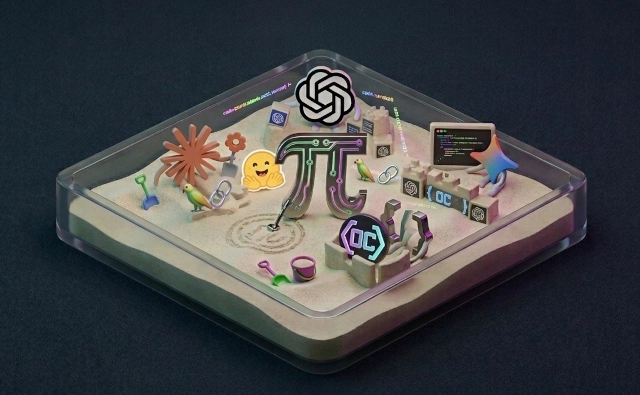
A miniature sandbox filled with agent and developer-tool characters agents at play / host at peace
Built for the whole loop

Not just a shell.
A working habitat.

Keep long-running work in tmux. Paste an image without exposing Wayland. Open OAuth on the host and relay localhost callbacks back in. Let a sandbox-local app appear in a host-owned Glimpse window. Connect to a host database through host.containers.internal.

01 Durable agent state in normal runs 02 Dedicated SSH auth + signing keys 03 Health checks with ags doctor 04 Bash, Zsh, and Fish completions
Start building

From source to sandbox
in three deliberate steps.

01

Build the Rust CLI

Clone the project, then compile the optimized binary.

cargo build -p ags --release
02

Install + configure

Materialize the bundled assets and link the CLI into your local bin.

./target/release/ags install --link-self
03

Set up, update, verify

Create agent keys, build the image, then check the whole environment.

ags setup && ags update-image && ags doctor
Ready when you are.

Read the prerequisites and follow the complete setup guide.

Open the documentation